
Epic Island1.2.1 - App Store
You'll be able to see results in few seconds.
Publisher Description
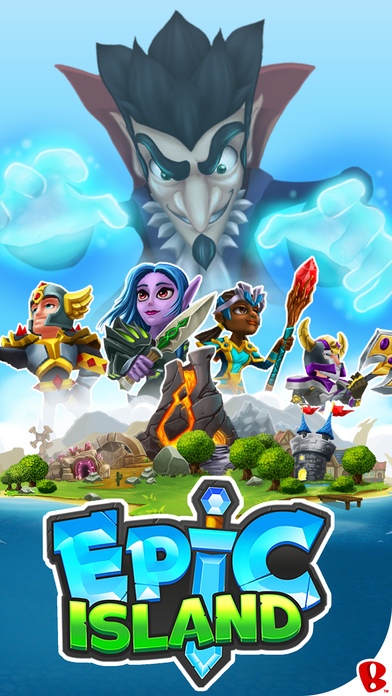
Welcome to Epic Island! An epic game of epic proportions.
This is a game. An epic game. An epic game set on a suitably Epic Island. Epic Island is overrun by epic monsters and outrageously epic titans. Epic monsters and epic titans are best fought by heroes. Not just any heroes, mind you. Epic heroes. Epic heroes on an epic quest to defeat epic beasts and score insanely epic loot.
Epic Island is epic.
Epic features...
Assemble a legion of heroes
Defeat hordes of brutish monsters
Raid dungeons for boundless loot
Forge mighty weapons & armor
Battle players in the glorious arena
Join a faction for weekly bonuses
Adopt powerful pet companions
Triumph over colossal titans
Explore the outer reaches of Epic Island
Failure to play this game could be described as a fail. An epic fail. Get epic.
Epic Island.
>> Install Epic Island today. It's FREE!
Important Notice: Epic Island does not currently support the Family Sharing feature. Please disable "Ask to Buy" for the child account to avoid any issues while attempting to make a purchase. We are working on support of this feature, and it will be coming soon!
______________________________
Epic Island is brought to you by Backflip Studios, makers of absurdly fun mobile games like DragonVale, Army of Darkness Defense, Paper Toss, PlunderNauts, Dwarven Den, NinJump, Ragdoll Blaster & more. Search the App Store for "Backflip Studios" to see all our games. Follow @BackflipStudios on Twitter for game announcements and other updates.
Thanks for playing!
Requires iOS 6.0 or later. Compatible with iPhone 4, iPhone 4s, iPhone 5, iPhone 5c, iPhone 5s, iPhone 6, iPhone 6 Plus, iPhone 6s, iPhone 6s Plus, iPhone SE, iPhone 7, iPhone 7 Plus, iPad, and iPod touch.
About Epic Island
The company that develops Epic Island is Backflip Studios. The latest version released by its developer is 1.2.1.
To install Epic Island on your iOS device, just click the green Continue To App button above to start the installation process. The app is listed on our website since 2014-09-24 and was downloaded 0 times. We have already checked if the download link is safe, however for your own protection we recommend that you scan the downloaded app with your antivirus. Your antivirus may detect the Epic Island as malware if the download link is broken.
How to install Epic Island on your iOS device:
- Click on the Continue To App button on our website. This will redirect you to the App Store.
- Once the Epic Island is shown in the iTunes listing of your iOS device, you can start its download and installation. Tap on the GET button to the right of the app to start downloading it.
- If you are not logged-in the iOS appstore app, you'll be prompted for your your Apple ID and/or password.
- After Epic Island is downloaded, you'll see an INSTALL button to the right. Tap on it to start the actual installation of the iOS app.
- Once installation is finished you can tap on the OPEN button to start it. Its icon will also be added to your device home screen.
Program Details
System requirements
Download information
Pricing
Version History
version 1.2.1
posted on 2014-09-24
Disclaimer
Official App Store Link
We do not host Epic Island on our servers. We did not scan it for viruses, adware, spyware or other type of malware. This app is hosted by Apple and passed their terms and conditions to be listed there. We recommend caution when installing it.
The App Store link for Epic Island is provided to you by apps112.com without any warranties, representations or guarantees of any kind, so access it at your own risk.
If you have questions regarding this particular app contact the publisher directly. For questions about the functionalities of apps112.com contact us.
